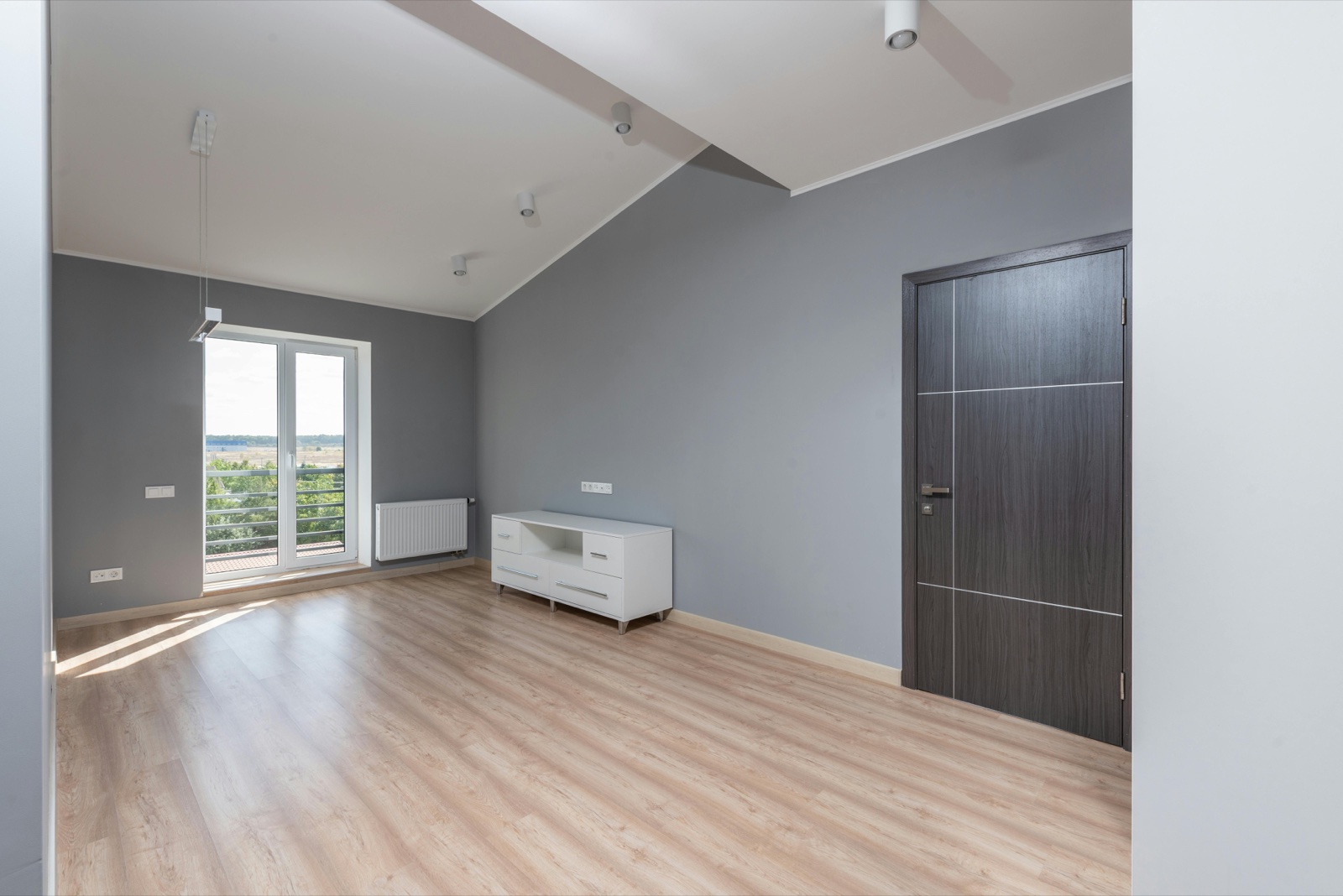
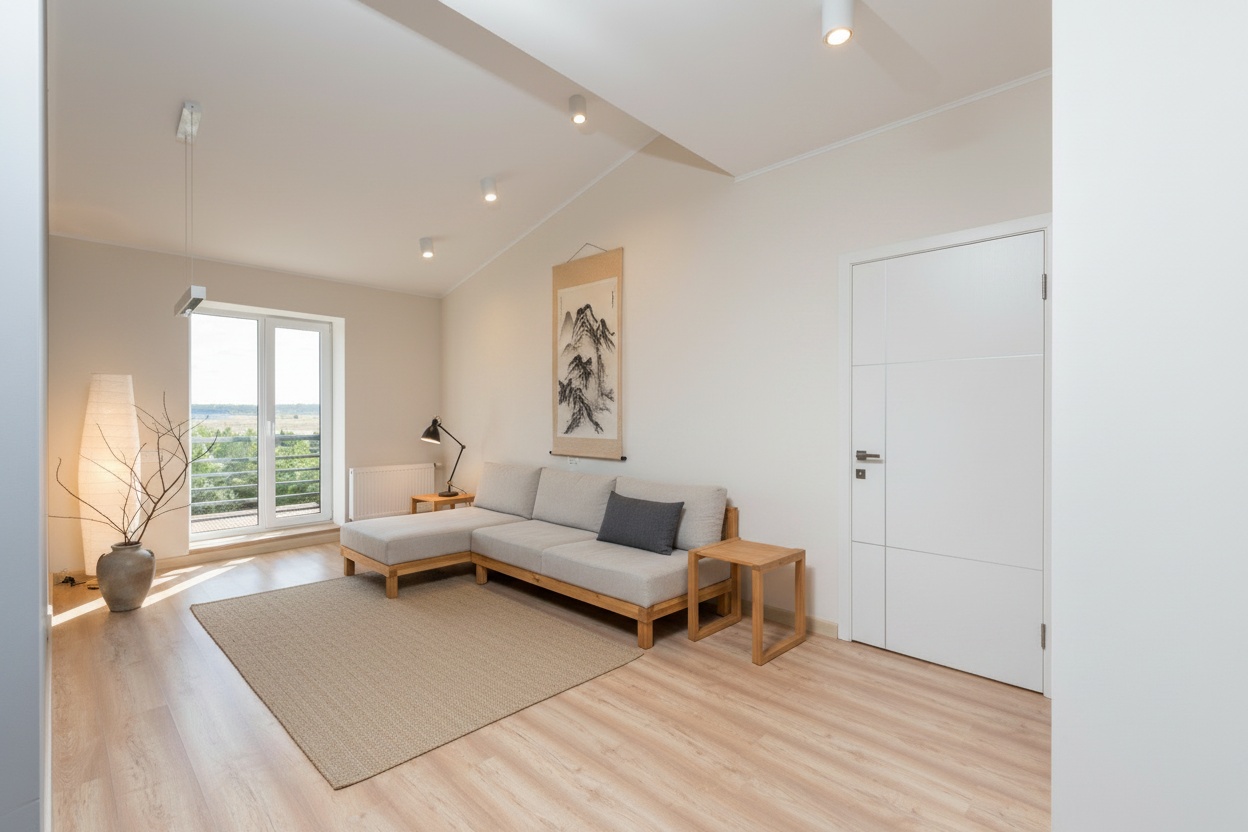
A vacant room is a hard sell. Buyers walk into empty space and feel the echo, not the potential — they cannot tell whether their sofa fits, where the bed goes, or whether the second bedroom is really a bedroom. Virtual staging answers the question every buyer asks the moment a listing opens: what would this look like with furniture in it? The only real catch with the traditional version is the wait.
What virtual staging is — and why agents use it
Virtual staging digitally furnishes and decorates a vacant or occupied room so buyers can see its potential in the listing photos. Done well, it is indistinguishable from a physical shoot — and it moves the numbers that matter:
- Staged homes sell for 6–25% more than unstaged comparables (National Association of Realtors).
- Virtually staged listings receive up to 75% more online views than bare-room photos (Real Estate Staging Association).
- Buyers spend 40% more time on listings that include staged photos.
The problem with traditional virtual staging is time. Most services route each image through a human editor — 24–72 hours, with rush fees for anything faster. For a listing that has to go live Friday morning, that timeline simply does not work.
Fast virtual staging vs. the traditional queue
Restage returns photoreal staged variants in minutes. Photograph the room, choose a style, and the staged images are ready before you have left the driveway — at a per-room price rather than a per-photo one.
| Traditional (BoxBrownie, etc.) | Restage | |
|---|---|---|
| Turnaround | 24–72 hours (rush: same day, extra fee) | Minutes |
| Cost per room | $24–$90+ per photo | $29 (first free) |
| Variants per order | 1 image per order | Three photoreal variants |
| Shopping list | No | Yes — real products with prices |
| Style options | Limited presets | Scandinavian, Japandi, Coastal, and more |
| Weekend / evening | Queue-dependent | Available any time |
MLS compliance: what you need to know
Most MLS boards require that virtually staged images be disclosed as such. The exact wording varies — "virtually staged," "digitally enhanced," and "computer-generated rendering" are all in use — but the intent is consistent: buyers must know the furniture in the photo is not physically present.
Restage images are made for disclosure-compliant use. Standard practice is a caption on each staged photo ("Virtually staged — home is vacant") and a note in the listing description. Some boards require a watermark on the image itself; check your local board's rules. The compliance obligation is the same whether you use a human editor or a tool like Restage — the difference is that Restage gets you there in minutes.
How to stage a room with Restage
- Photograph the room. Clear the space, shoot in daylight, wide angle from a corner. The better the source photo, the stronger the staged result.
- Choose a style. Scandinavian, Japandi, Modern Coastal, Warm Minimal — each tuned for broad buyer appeal and photographic quality.
- Review three variants. Download the staged images, add the disclosure caption, and upload to the MLS. See the full workflow.
Which rooms to stage first
Staging spend should track buyer attention:
- Living room / main space. The hero photo. Buyers decide to click or scroll on this image alone.
- Primary bedroom. An unstaged bedroom reads as smaller and less valuable. Furnishing it answers "where will I sleep?" instantly.
- Dining area. An empty dining room raises doubt about whether the space actually fits a table — a real concern for family buyers.
- Home office. Remote work has made this decisive for a growing segment. A spare bedroom staged as an office can change the offer math.
Virtual staging for occupied listings
Restage works on occupied rooms too. Photograph a furnished room and Restage replaces the existing furniture and decor with a curated set that photographs more professionally — useful for seller-occupied listings where physical staging would mean removing the seller's belongings, or for tired rental furniture suppressing perceived value. If a room is simply cluttered, you can also remove the existing furniture and clutter first, or stage it from empty if it is already cleared.
For short-term rental and vacation rental owners, the same tool doubles as a rental design planner: the staged result comes with a complete shopping list, so a visualization becomes a purchasing blueprint. Hosts furnishing a whole unit usually start from the broader STR design guide.
Virtual staging styles
Each Restage track produces a complete, coherent interior — not a pile of random furniture — designed for broad residential buyer appeal:
- Scandinavian — blonde wood, white walls, wool and linen. The broadest-appeal residential style. See it in detail.
- Japandi — darker woods, clean lines, deliberate negative space. Strong with contemporary and mid-century buyers. See it in detail.
- Modern Coastal — sand, driftwood, sea glass. Built for coastal markets and vacation-area listings.
- Warm Minimal — limewash plaster tones, oak, generous negative space. Strong in urban and suburban markets.
For which aesthetic performs in which market, see the interior design guide or browse the staging and design blog. Hosts updating a furnished unit rather than a vacant one should read the Airbnb redesign guide, and if a repaint is on the table, the free wall color preview lets you test a color before you buy a can.