The iPhone takes good Airbnb photos if you know what you're doing — and actively bad ones if you don't. The gap isn't the camera. It's the settings, the timing, the room prep, and one or two decisions that most hosts make wrong and never realize because the photos look fine on a phone screen and only fail at thumbnail size on Airbnb search. This guide is the specific process: when to shoot, how to set up the phone, what to do to the room first, and what a publishable listing photo actually looks like.
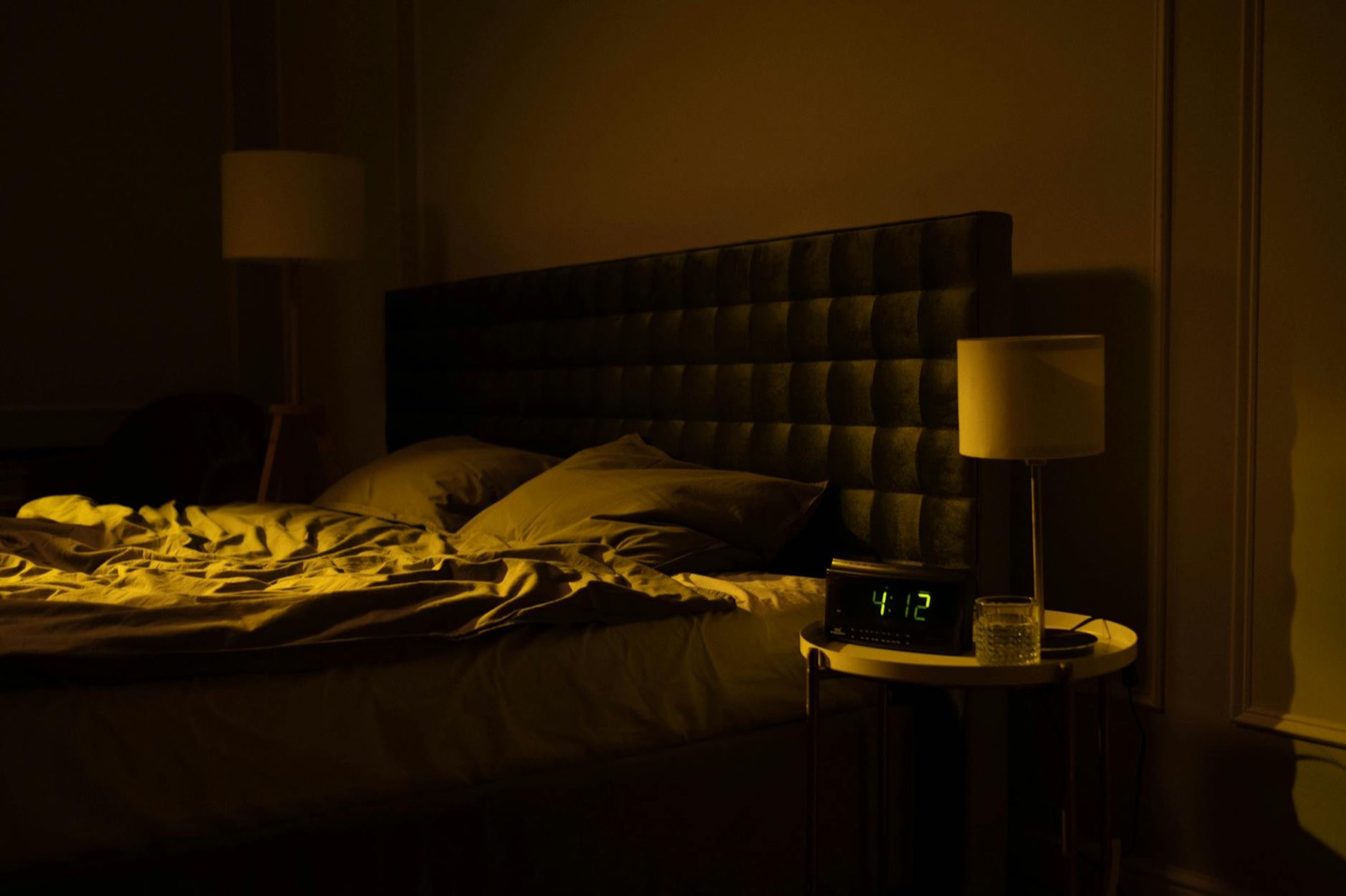 Before
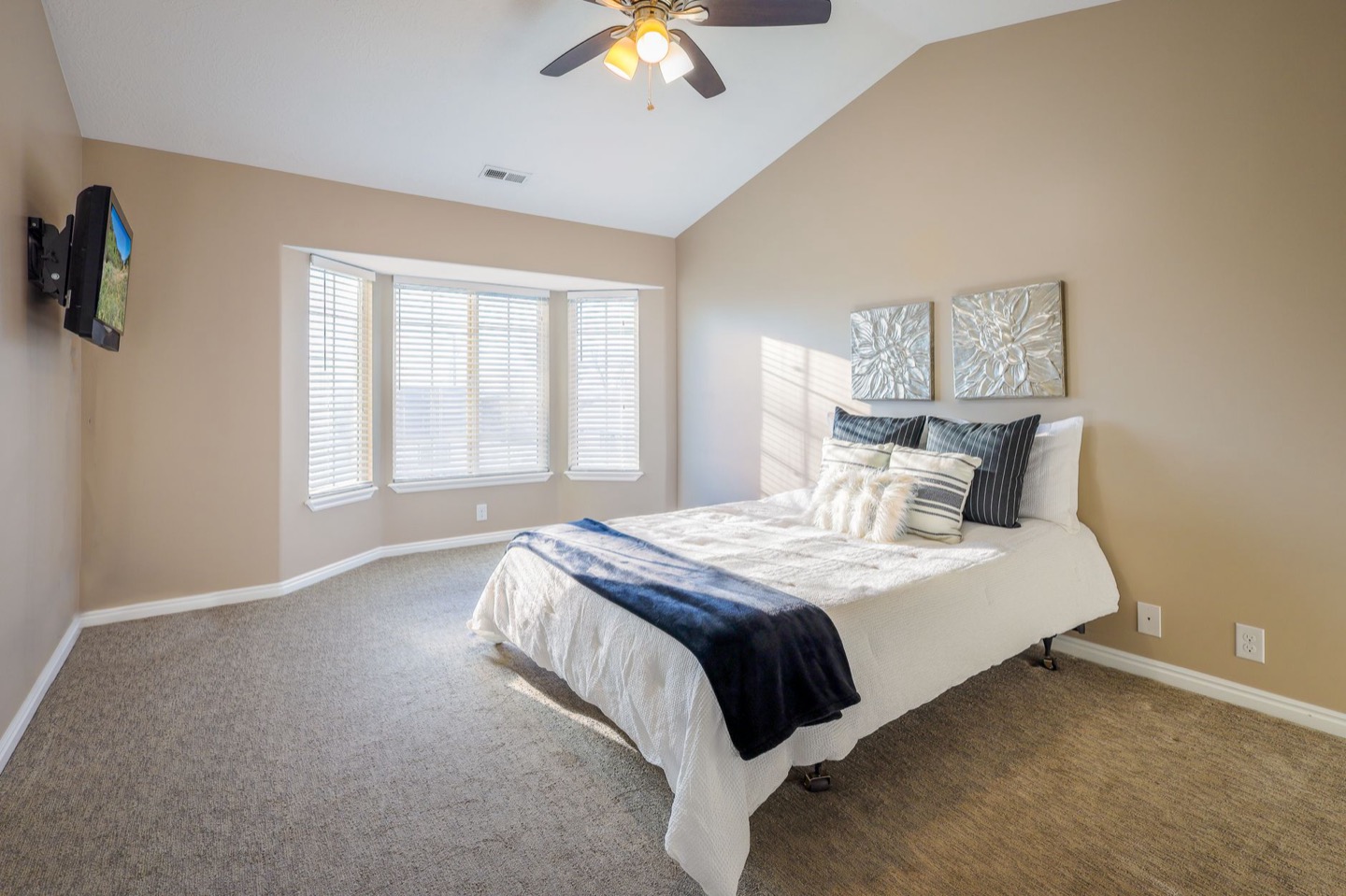 After
AfterThe four things that actually matter
Before the settings, the angles, and the editing: the photos that fail do so for one of four reasons. Fix these first — camera technique second.
- The room isn't photo-ready. Clutter, mismatched textiles, a cool-white bulb in the bedside lamp, one chair that fights the color of everything else. The iPhone records exactly what's there.
- The light is wrong. Overhead fluorescent + midday shadows = flat, harsh, grey. The right light is warm, diffused, and comes primarily from windows and warm-bulb lamps.
- The timing is wrong. Every room has a best hour. Shoot in that hour, every shot. Miss it and the photos look like a different, worse place.
- The composition has no anchor. Shooting from eye level in the middle of the wall is the most common mistake. Rooms need a corner anchor, height, and depth to read as real space in a 2D photo.
If any of those four are broken, new camera settings won't fix it. Start with the room and the light.
Step 1: Prep the room before you pick up the phone
Surface clearing Remove 60–70% of every decorative item on every visible surface. What looks sparse in person photographs as balanced. What looks full in person photographs as cluttered. The rule: coffee table gets a tray with two or three objects. Nightstands get one lamp and one small object. Kitchen counters get appliances pushed back, one bowl of something natural, nothing else.
Bedding Iron or steam the duvet cover the day before and make the bed military-tight the morning of the shoot. Stack pillows in threes (two sleeping pillows, one accent). Fold the throw neatly at the foot — never draped loosely while shooting, unless it's the only textile in the shot and you're going for that look deliberately.
Floors Vacuum or sweep. The camera catches every piece of dust, pet hair, and crumb on a hardwood floor in morning light. Easy to miss in person; impossible to miss in the photo.
Windows Clean the windows. Interior glass with smudges shows up in wide shots when light is hitting it from outside. Takes five minutes and changes the quality of light diffusion in every photo.
Swipe the bulbs Every visible light source in the photo should be 2700K. If a bulb is cool-white (most builder-grade bulbs are), the lamp reads blue-grey in photos. A 2700K LED costs $3. This is the highest-ROI $3 you will spend on your listing.
Step 2: Find your room's best hour
Every room has one or two hours when the natural light is optimal — usually within 90 minutes of when the sun hits the main window at a low angle. For most rooms:
- East-facing windows: best light is 8–10am (direct morning light, low angle, golden)
- West-facing windows: best light is 5–7pm (warm evening light)
- South-facing windows: best midday, but midday direct light is often too harsh — diffuse with sheer curtains
- North-facing windows: even diffused light all day; shoot 10am–2pm for the flattest, most consistent light
Shoot every room in the same session, during the best hour for the primary room. Don't spread the shoot across three days — the light will look inconsistent and guests will notice.
Step 3: iPhone settings for listing photos
Turn off Portrait mode for rooms. Portrait mode is designed for people — its depth blur destroys room photography by making background furniture look out of focus. Use the standard Photo mode.
Lock exposure and focus. Tap and hold on the brightest surface in the room (usually a window-adjacent wall) until you see AE/AF Lock appear. Then slide the exposure down slightly with the sun icon on the right. This prevents blown-out windows and keeps the room tones balanced.
Don't use HDR. iPhone HDR flattens the contrast and adds a processed look to interior photos. Turn it off in Settings → Camera and leave it off for listing photos. Shoot standard, then correct in Lightroom.
Use 1x lens. The 0.5x ultra-wide makes rooms look bigger — it also distorts corners, stretches furniture proportions, and looks like a real estate trick. Guests know it. Airbnb thumbnails don't zoom in, so size distortion isn't the win it seems. The 1x produces more natural-looking spaces that match what guests arrive to find.
Grid on. Turn on the camera grid (Settings → Camera → Grid) and use the horizontal line to keep the room level. A slightly tilted room is one of the fastest ways to make a photo look amateur.
Step 4: The shooting position
The mistake: standing in the doorway and shooting straight across the room.
The setup: stand in a back corner at shoulder height, angled 45 degrees into the room so you capture two walls, the ceiling line, and depth from foreground to background. This is called the corner composition and it's what makes rooms look like real space instead of a flat wall.
For bedrooms: shoot from the corner across from the head of the bed. The bed anchors the foreground, the headboard reads as a clean focal point, and the window or wall art finishes the back of the frame.
For living rooms: shoot from behind the sofa, toward the coffee table and beyond. This creates foreground (sofa back), midground (coffee table), and background (wall or window) — the three-layer composition that reads as depth.
For kitchens: shoot from the far corner at 45 degrees to capture countertops on two sides. Don't shoot straight at the fridge.
One rule for every room: the floor should take up about one-third of the frame from the bottom. If you're shooting too high, you lose the rug, the floor, and the sense of scale.
Step 5: Lighting setup
Turn off all overhead lights before shooting. Overhead lighting creates shadows downward on furniture and faces, which makes rooms look older and darker in photos. This is counterintuitive — more lights on seems like it should be brighter — but overhead-only lighting is the difference between hotel-room flat and magazine-quality warmth.
The lighting setup:
- Maximum natural light from windows (curtains open, sheers left for diffusion if sun is direct)
- All lamps on, 2700K bulbs only
- Overhead lights off
If the room is still dim with this setup, add a portable softbox or ring light aimed at the ceiling (not at the room directly) to boost ambient light without adding harsh directional light.
Shoot one test frame and check it at full zoom. If you see a bluish cast from any source, find the culb and fix it before shooting the full sequence.
Step 6: Editing the shots
The edit for Airbnb photos is simple — you're correcting, not stylizing:
- Exposure: +0.5 to +1 stop. Listing photos should be brighter than the room feels in person — guests are scanning thumbnails and bright reads as inviting.
- Highlights: -20 to -40 (recover blown-out windows without darkening the room)
- Shadows: +15 to +25 (lift dark corners so furniture detail reads clearly)
- Color temperature: warm slightly if the room looks cool — +200 to +400K in Lightroom
- Straighten: always run the crop tool to check level
Apps: Lightroom Mobile (free, best control), Snapseed (faster, good for quick correction). Don't use the native Photos app filter presets — they over-process.
Don't add contrast or clarity heavily. Airbnb listing photos that look stylized raise subconscious concern — guests wonder what's being hidden. The edit should make the room look like the best version of itself, not a different room.
The cover photo
Your cover photo has one job: get the click from the search thumbnail. At thumbnail size, guests see roughly 200 pixels of your listing. What reads at that size:
- A warm, bright room (cool-grey photos disappear into the search page)
- A clear focal point (the bed, the sofa, a view — something to read instantly)
- No clutter visible (the thumbnail is too small for "styled chaos" to read well)
The cover photo is almost always a bedroom or living room — never the bathroom, exterior, or kitchen as a first image unless the kitchen is genuinely the standout feature of the property.
If your current cover photo is dark, has visible clutter, or has a cool-white cast, changing it is the single fastest booking lift available to you without spending any money.
What happens after the photos
Photos solve the click-through problem. What happens after the click depends on whether the room matches the photo — guests who arrive at a space that looks different from the listing leave worse reviews than guests who arrive at a space that looks exactly as shown.
The room prep and short-term rental design decisions you make before the shoot have to hold between guests. A staging kit that works once doesn't help if the throw gets lost and the surfaces get cluttered between checkouts.
This is why designing the room before buying anything is the step most hosts skip: you see whether the look you're going for actually works in your specific space before you commit to it. The before/after at the top of this post — same iPhone, same room, same day — is the difference between a room designed to photograph and a room that happens to be photographed.
Design your room so the iPhone photos actually work
See three styled variants of your space before buying anything. Upload one photo — takes two minutes.
Preview My Room$29 per additional room · One-time · No subscription
FAQ
What's the best time of day to take Airbnb photos? It depends on which direction your main windows face. East-facing: 8–10am. West-facing: 5–7pm. South-facing with direct sun: use sheers and shoot 10am–2pm. North-facing: 10am–2pm, any day with overcast skies is ideal.
Should I hire a professional photographer? A professional with Airbnb real estate experience will produce better photos than most hosts can with an iPhone. If you're not getting the results you want after applying this guide, the investment (~$150–$350) pays back quickly at higher rates. If you want to shoot yourself, apply this guide in full before deciding.
My room looks great in person but the photos look flat — why? Almost always a lighting issue: cool-white bulbs, overhead-only lights, or shooting at the wrong time of day. Address those three things before anything else.
How many photos should my listing have? Airbnb recommends 25+ photos. More important than quantity: every photo should show something distinct. Don't post five versions of the same bedroom from slightly different angles. Cover every room, include an exterior shot, and show any standout amenities (bathtub, fireplace, outdoor space).